The web interface (HTML) or CURL command can be used to request for a
- Restoring a database instance from cluster and non-cluster database instances
- Checking the status of the restore from step 1.
- Attaching an instances to already existing dB cluster
The API app is written in Python using Flask Web Frame work and blueprints with API endpoints called routes.
Request website credentials: Provide your email for web site sign up. Sign up is only available to Admins through Admin console. Apps with both Admin and User interfaces are running on dB API server(s) in a docker container mapped to different ports.
- The web site uses authentication (currently stored in Postgresql dB) can be used in two forms
- The web site stores user information for each action is performance on the web site. (user email, computer IP (real IP when available))
- In future the web site will be added with geo location and JWT authentication
HTTPS calls via browser. A basic interface for submitting a request through HTML interface.
Admin Console:
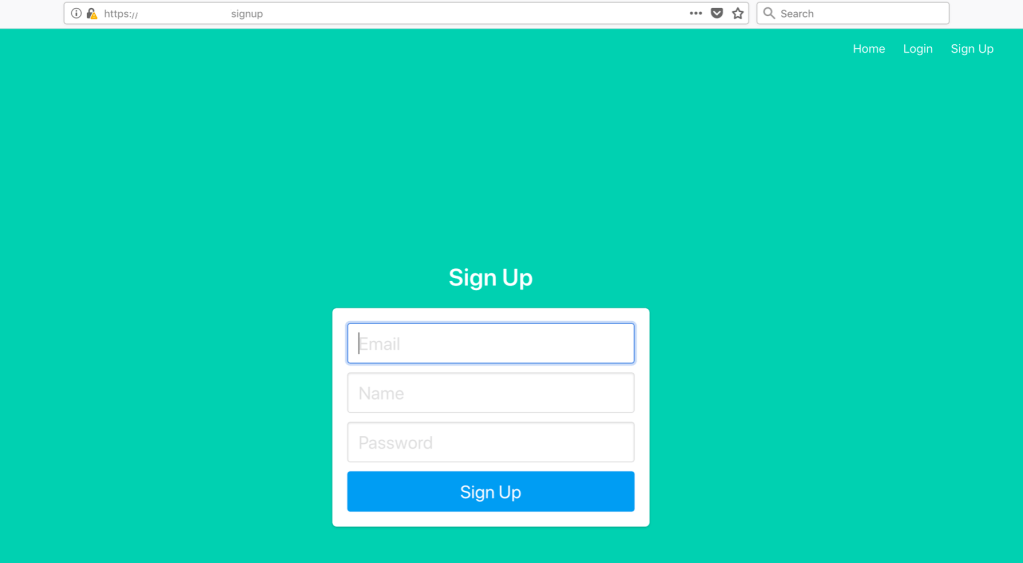
Login Page

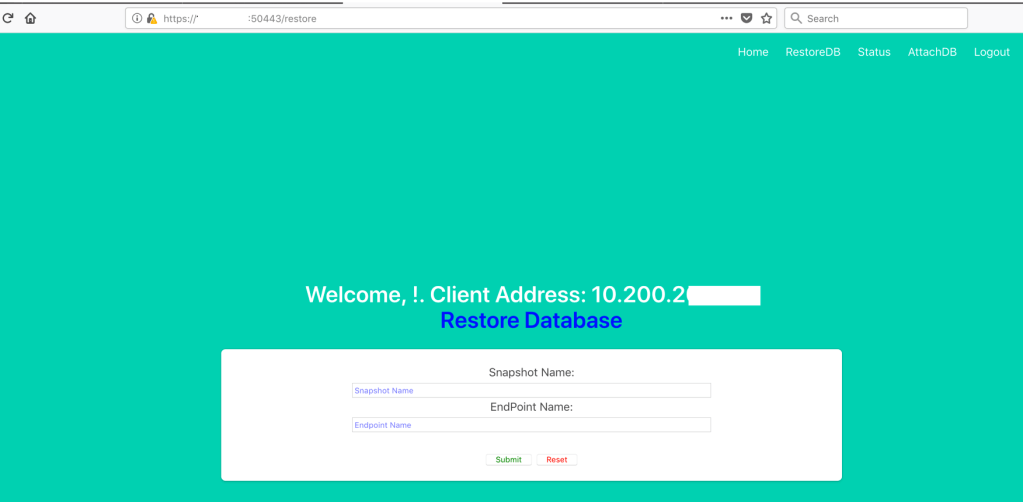
Restore Database Page
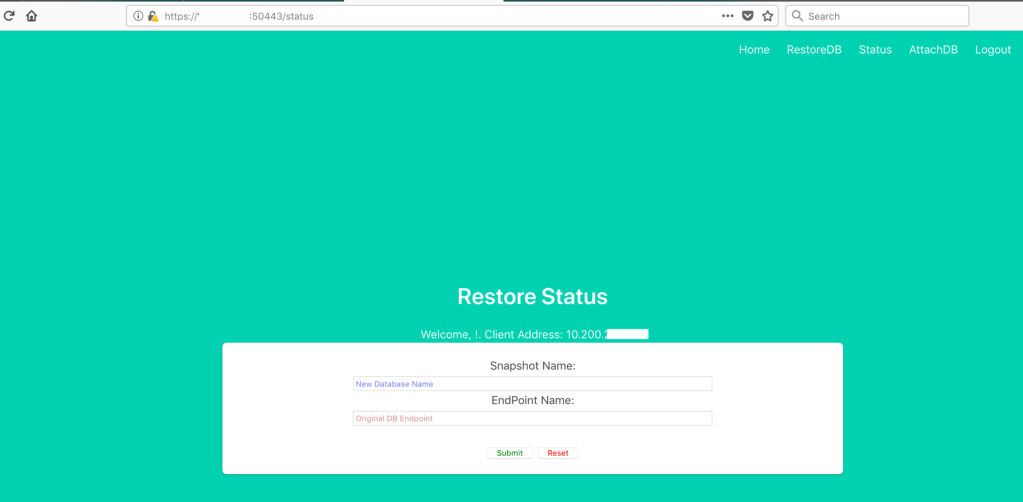
Restore DB Status Page
Attach dB instance to the dB cluster Page

CURL interface
In order to get to functional page of web site, you need to provide login authentication first to pass that session information via SecureCookieSession
Flask Python Curl command: (how to use) Restore backup:
#!/bin/bash
#Author: skondla@me.com
#Purpose: Restore DB from a Snapshot

if [ $# -lt 2 ];
then
    echo "Provide snapshotname , db endpoint"
    echo "example: bash getDBRestoreStatus.sh myDB
    myDB.cluster-XXXYYYYDDDD.us-east-1.rds.amazonaws.com"
exit 1
fi

snapshotname=${1}
endpoint=${2}


EMAIL=`cat ~/.password/mySecrets2 | grep email | awk '{print $2}'`
PASSWORD=`cat ~/.password/mySecrets2 | grep password | awk '{print $2}'`


#/usr/bin/curl -k "https://ec2-54.94.x.x.compute-1.amazonaws.com:50443/login" \
/usr/bin/curl -k "https://192.168.2.15:50443/login" \
    --data-urlencode "email=${EMAIL}" \
    --data-urlencode "password=${PASSWORD}" \
    --cookie "cookies.txt" \
    --cookie-jar "cookies.txt" \
    --verbose \
    > "login_log.html"

#/usr/bin/curl -k "https://ec2-54.94.x.x.compute-1.amazonaws.com:50443/restore" \
/usr/bin/curl -k "https://192.168.2.15:50443/restore" \
    --data-urlencode "snapshotname=${snapshotname}" \
    --data-urlencode "endpoint=${endpoint}" \
    --cookie "cookies.txt" \
    --verbose \
    --cookie-jar "cookies.txt"; \
    echo
rm -f cookies.txt
Status of Restored backup:
#!/bin/bash
#Author: skondla@me.com
#Purpose: Status of Restore

if [ $# -lt 2 ];
then
    echo "Provide snapshotname , db endpoint"
    echo "example: bash getDBRestoreStatus.sh myDB
    myDB.cluster-XXXYYYYDDDD.us-east-1.rds.amazonaws.com"
exit 1
fi

snapshotname=${1}
endpoint=${2}


EMAIL=`cat ~/.password/mySecrets2 | grep email | awk '{print $2}'`
PASSWORD=`cat ~/.password/mySecrets2 | grep password | awk '{print $2}'`


#/usr/bin/curl -k "https://ec2-54.94.x.x.compute-1.amazonaws.com:50443/login" \
/usr/bin/curl -k "https://192.168.2.15:50443/login" \
    --data-urlencode "email=${EMAIL}" \
    --data-urlencode "password=${PASSWORD}" \
    --cookie "cookies.txt" \
    --cookie-jar "cookies.txt" \
    --verbose \
    > "login_log.html"

#/usr/bin/curl -k "https://ec2-54.94.x.x.compute-1.amazonaws.com:50443/status" \
/usr/bin/curl -k "https://192.168.2.15:50443/restore" \
    --data-urlencode "snapshotname=${snapshotname}" \
    --data-urlencode "endpoint=${endpoint}" \
    --cookie "cookies.txt" \
    --verbose \
    --cookie-jar "cookies.txt"; \
    echo
rm -f cookies.txt
Attach DB instance to the cluster:
Flask Python Curl command: (how to use) Restore backup:
#!/bin/bash
#Author: skondla@me.com
#Purpose: Restore DB from a Snapshot

if [ $# -lt 2 ];
then
    echo "Provide snapshotname , db endpoint"
    echo "example: bash getDBRestoreStatus.sh myDB
    myDB.cluster-XXXYYYYDDDD.us-east-1.rds.amazonaws.com"
exit 1
fi

snapshotname=${1}
endpoint=${2}


EMAIL=`cat ~/.password/mySecrets2 | grep email | awk '{print $2}'`
PASSWORD=`cat ~/.password/mySecrets2 | grep password | awk '{print $2}'`


#/usr/bin/curl -k "https://ec2-54.94.x.x.compute-1.amazonaws.com:50443/login" \
/usr/bin/curl -k "https://192.168.2.15:50443/login" \
    --data-urlencode "email=${EMAIL}" \
    --data-urlencode "password=${PASSWORD}" \
    --cookie "cookies.txt" \
    --cookie-jar "cookies.txt" \
    --verbose \
    > "login_log.html"

#/usr/bin/curl -k "https://ec2-54.94.x.x.compute-1.amazonaws.com:50443/restore" \
/usr/bin/curl -k "https://192.168.2.15:50443/restore" \
    --data-urlencode "snapshotname=${snapshotname}" \
    --data-urlencode "endpoint=${endpoint}" \
    --cookie "cookies.txt" \
    --verbose \
    --cookie-jar "cookies.txt"; \
    echo
rm -f cookies.txt
Status of Restored backup:
#!/bin/bash
#Author: skondla@me.com
#Purpose: Status of Restore

if [ $# -lt 2 ];
then
    echo "Provide snapshotname , db endpoint"
    echo "example: bash getDBRestoreStatus.sh myDB
    myDB.cluster-XXXYYYYDDDD.us-east-1.rds.amazonaws.com"
exit 1
fi

snapshotname=${1}
endpoint=${2}


EMAIL=`cat ~/.password/mySecrets2 | grep email | awk '{print $2}'`
PASSWORD=`cat ~/.password/mySecrets2 | grep password | awk '{print $2}'`


#/usr/bin/curl -k "https://ec2-54.94.x.x.compute-1.amazonaws.com:50443/login" \
/usr/bin/curl -k "https://192.168.2.15:50443/login" \
    --data-urlencode "email=${EMAIL}" \
    --data-urlencode "password=${PASSWORD}" \
    --cookie "cookies.txt" \
    --cookie-jar "cookies.txt" \
    --verbose \
    > "login_log.html"

#/usr/bin/curl -k "https://ec2-54.94.x.x.compute-1.amazonaws.com:50443/status" \
/usr/bin/curl -k "https://192.168.2.15:50443/restore" \
    --data-urlencode "snapshotname=${snapshotname}" \
    --data-urlencode "endpoint=${endpoint}" \
    --cookie "cookies.txt" \
    --verbose \
    --cookie-jar "cookies.txt"; \
    echo
rm -f cookies.txt
Attach DB instance to the cluster:
#!/bin/bash
#Author: skondla@me.com
#Purpose: Attach dB instance to dB cluster

if [ $# -lt 2 ];
then
    echo "Provide db endpoint , instanceclass"
    echo "example: bash getDBRestoreStatus.sh
          myDB.cluster-XXXYYYYDDDD.us-east-1.rds.amazonaws.com
          db.t2.small"
exit 1
fi


endpoint=${1}
instanceclass=${2}


EMAIL=`cat ~/.password/mySecrets2 | grep email | awk '{print $2}'`
PASSWORD=`cat ~/.password/mySecrets2 | grep password | awk '{print $2}'`

#/usr/bin/curl -k "https://ec2-54.94.x.x.compute-1.amazonaws.com:50443/login" \
/usr/bin/curl -k "https://192.168.2.15:50443/login" \
    --data-urlencode "email=${EMAIL}" \
    --data-urlencode "password=${PASSWORD}" \
    --cookie "cookies.txt" \
    --cookie-jar "cookies.txt" \
    --verbose \
    > "login_log.html"

#/usr/bin/curl -k "https://ec2-54.94.x.x.compute-1.amazonaws.com:50443/attachdb" \
/usr/bin/curl -k "https://192.168.2.15:50443/attachdb" \
    --data-urlencode "endpoint=${endpoint}" \
    --data-urlencode "instanceclass=${instanceclass}" \
    --cookie "cookies.txt" \
    --verbose \
    --cookie-jar "cookies.txt"; \
    echo

rm -f cookies.txt
Source code:
email me: skondla@me.com
 Automation - devOps, data engineering, python